


Most bad calling days start with a bad list. Wrong people, old numbers, companies that could never buy. You spend the morning talking to receptionists and voicemail, and by lunch you've stopped believing in the phone.
It starts with good data
If half the numbers don't connect, no script will save the day. You have three options:
- Buy a ready-made list. It's fast, but the data is often old and the companies rarely fit.
- Use one big database. Good in the markets it's built for, but most of the biggest providers are built for North America, and their coverage in Europe is thinner.
- Combine several providers. Ask one, and when it comes up empty, ask the next. This is called waterfall enrichment.
Tables does the third. For every person, it asks several of the best providers in turn, so a gap at one is often filled by the next. Across a random sample of 5,000 lookups, it found a mobile for 89.4% of people.






| Category | Mobile found |
|---|---|
| Norway | 98.4% |
| Sweden | 94.1% |
| US | 89.6% |
| Netherlands | 89% |
| Denmark | 89% |
| UK | 73.9% |
Can't I just ask ChatGPT or Claude?
For a list of ten or twenty companies, yes. Ask Claude or ChatGPT and you'll get a decent start.
Past that, you hit the limits fast. The model mostly has web search, and it holds back on running hundreds of searches in a row, because every one costs money. And a lot of what you need isn't on Google anyway: mobile numbers, who just changed jobs, how big the sales team is.
To do it properly, the AI needs real data and real tools behind it. That's what we built Tables to be. You can use it in the Tables app, or connect it to Claude and build the list right in the chat.
Step 1: Decide who you're calling
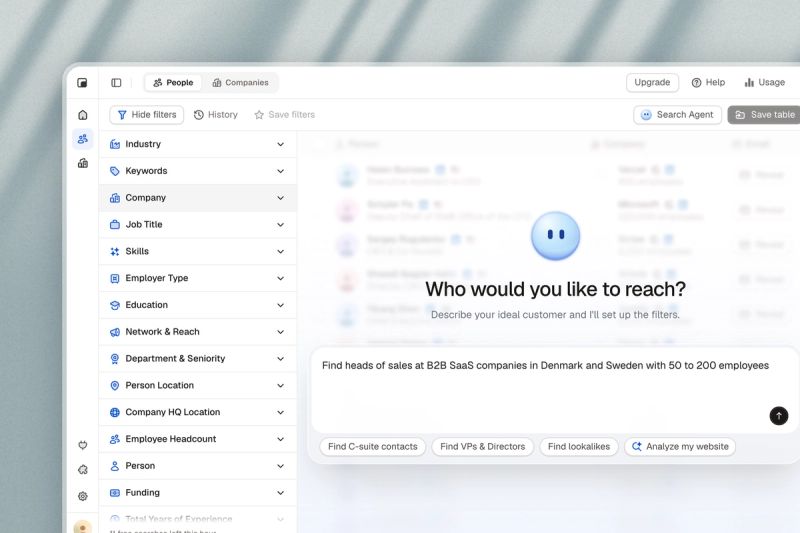
Write your ideal customer in one sentence: the industry, the size, the region, and the person who says yes. For example: heads of sales at B2B SaaS companies in Denmark and Sweden with 50 to 200 employees.
Keep it to one segment per list. You'll use the same opener on every call, get better at it each time, and learn fast whether the segment is worth it.
In Tables, you can type that sentence as it is, and it sets up the filters for you.
Step 2: Find the companies and the people
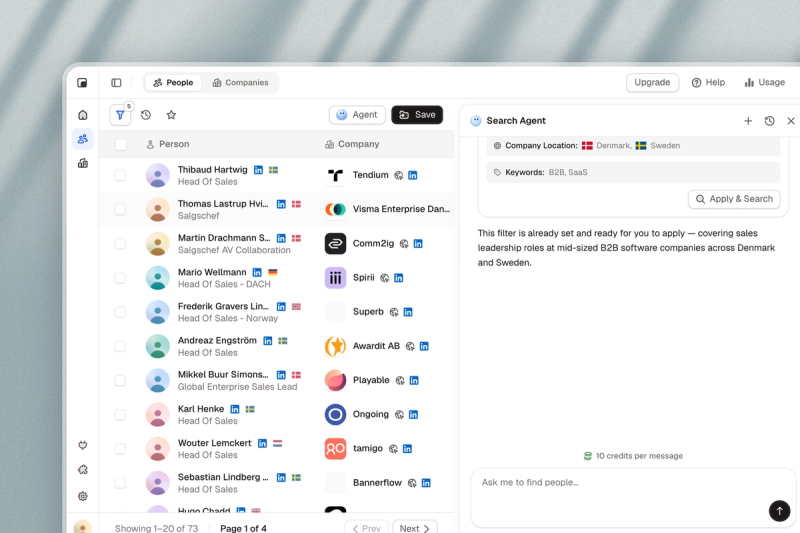
Start with companies, then people. Filter on what matters for what you sell: industry, headcount, location, funding, how fast they're growing. Two filters most people forget are job postings and job changes. A company hiring for a role is changing, and a new leader often brings new tools.
Pick one or two people per company. In small companies it's usually the owner or managing director. In bigger ones, it's the head of the team that would use what you sell. Aim for a list you can finish in a week or two: a few hundred well-chosen companies beat ten thousand random ones.
Most people overestimate how many leads they need. You rarely reach someone on the first try, so each contact gets two, three or four calls, and the ones you do reach call back, ask for an email or book a follow-up. That work builds up fast and keeps you busy, so a smaller list goes further than you'd think.
Step 3: Enrich every lead
In Tables, you add AI columns to your list. Each one is a question that AI agents answer for every row, by researching the company in our database and on public sources, with a link to where they found the answer. Here are some ideas to start with:
| AI column | Prompt you can use | Why it helps |
|---|---|---|
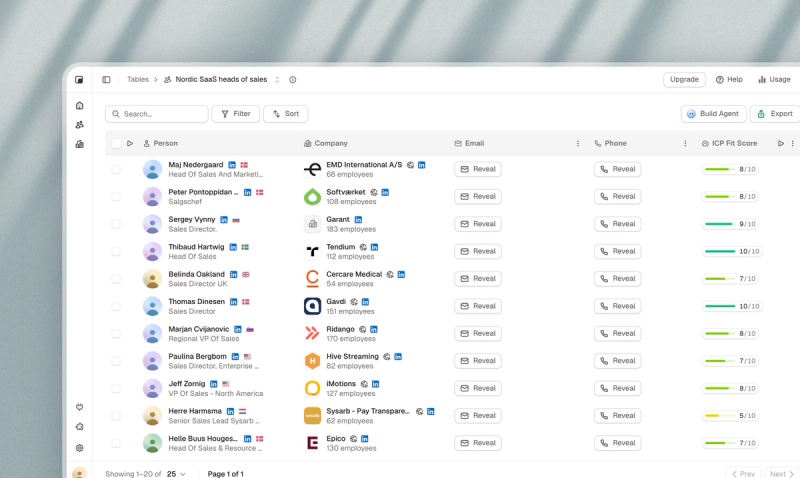
| ICP score | Score each company from 1 to 10 on how well it fits our ICP: B2B SaaS, 50 to 200 employees, selling into Europe. | Sort by the score and call from the top. |
| Decision maker | Is this person likely to own the budget for sales tools, or would they need sign-off? | You call the person who can say yes. |
| Hiring | Is the company hiring salespeople right now? Link the job post. | A team that's growing needs things. |
| Tools they use | Does the company use HubSpot? Check its latest job posts and its website. | You find the companies your product fits. |
| Recent changes | Has the company opened an office, raised money or hired a new head of sales in the last six months? | A reason to call this month, not next year. |
| Reason to call | Write one sentence on why we should call this company now. | Your first line on the call. |
Take the tools question. There's no filter for "uses HubSpot". But if a company's three latest job posts ask for HubSpot experience, it very likely runs it, and the person hiring for those roles is a good place to start.
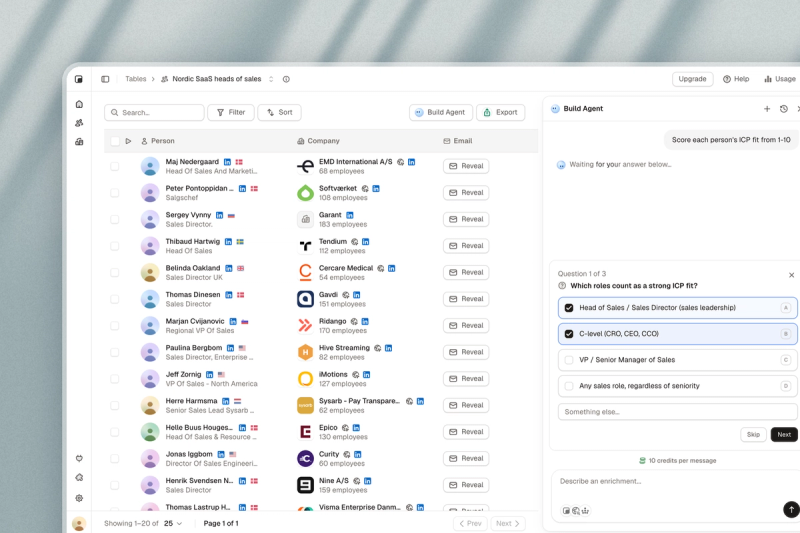
Before it scores, Tables asks a couple of questions, like which roles count as a strong fit, so the score reflects your ICP and not a generic one.
Step 4: Get the numbers that reach the person
A switchboard number gets you a receptionist. A mobile gets you the person you want to talk to.
Score first, then find the mobiles. Start with the leads at the top of your ICP score and work down: there's no point chasing a number for someone who doesn't fit.
Numbers go stale and coverage varies a lot by country, so test any provider on your own market before you commit.
Step 5: Clean the list and put it in your CRM
Remove duplicates, existing customers and anyone who has asked not to be contacted. Check the local rules too. In Denmark, for example, owners of sole proprietorships can be protected against marketing calls.
Then load the list into your CRM before you dial, so every call, note and follow-up lands in one place. Tables sends lists straight to HubSpot, Pipedrive, Attio, Zoho and Close, with SuperOffice in alpha.
When you're through the list, look at who said yes to a meeting and build the next one to look more like them. Your ICP score gets better every time.

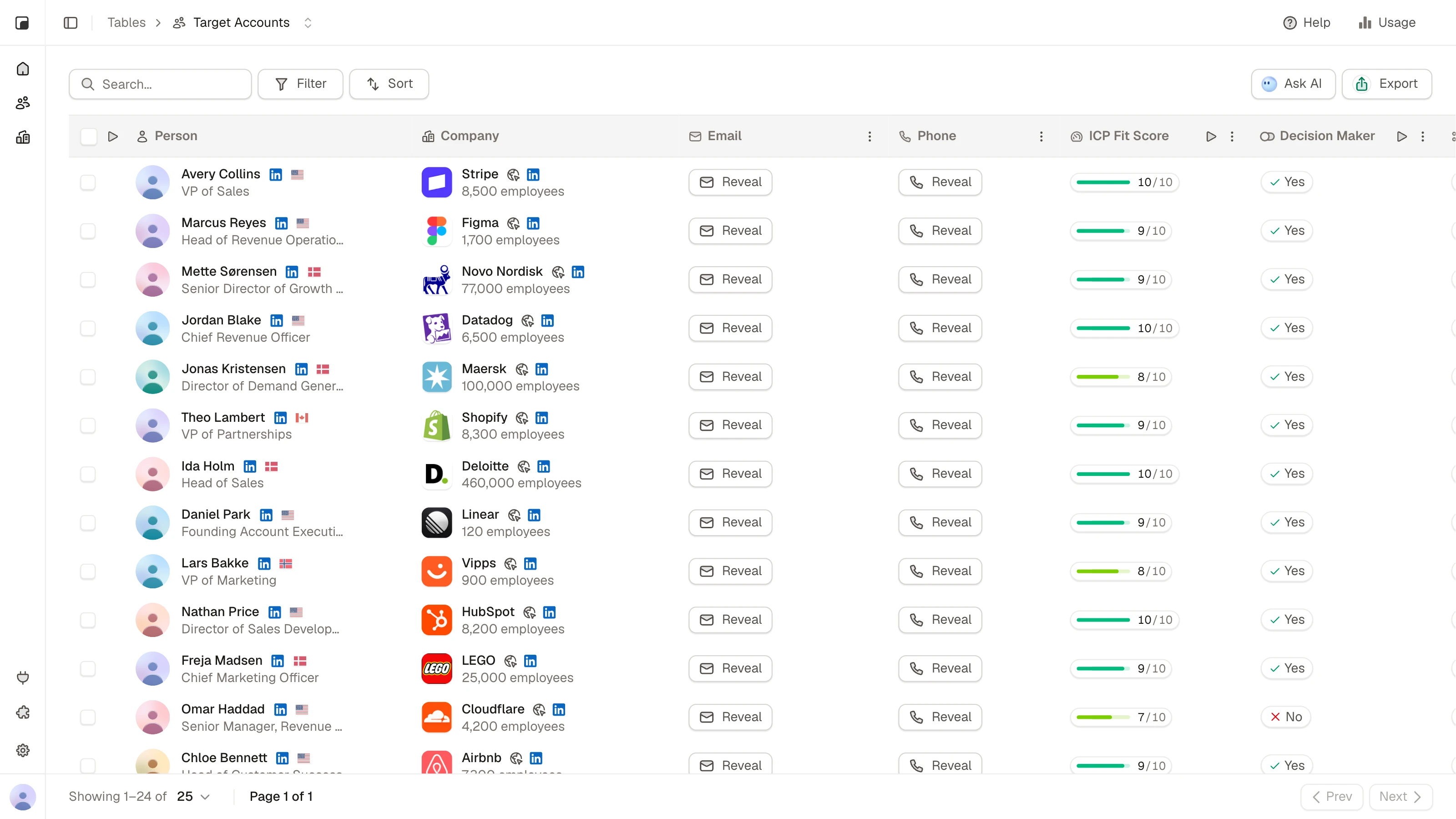
Build your next call list in Tables
Describe who you want to call. Tables finds the decision makers, researches and scores every lead against your ICP, and finds their mobile numbers.