

Our Claude connector just got a big upgrade. Results used to come back as text in the chat. Now they open as a real, interactive Tables table right inside Claude, and Claude can call nearly every part of Tables: save lists, score them with AI, get mobile numbers and push people to your CRM, all without leaving the chat.
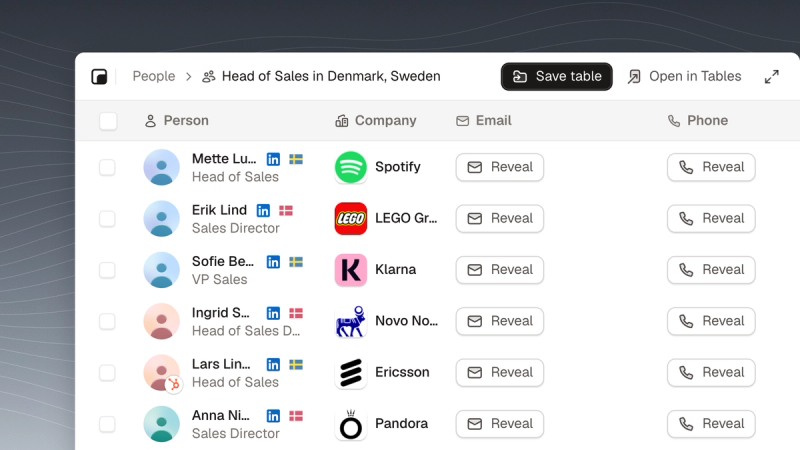
Ask for the people you want to call
Write it the way you would say it, like “Find heads of sales at big companies in Denmark and Sweden”. Claude turns it into a Tables search and the results open as a table you can page through, filter and save.
Score every lead with AI
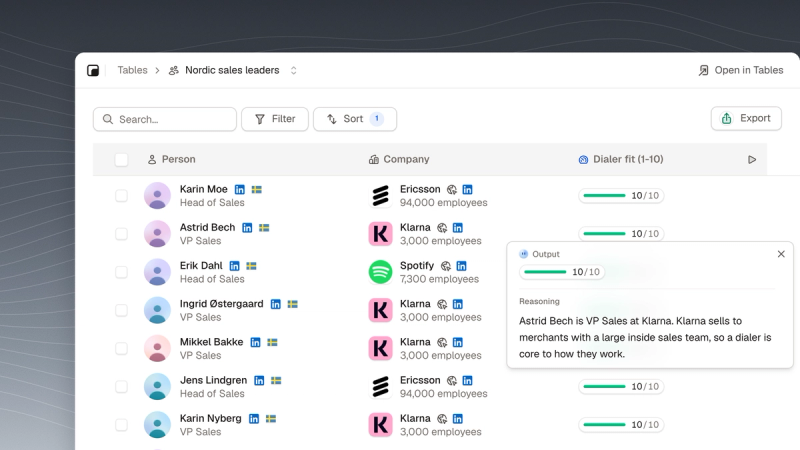
Ask Claude to score the list, for example 1 to 10 on how likely each person is to buy what you sell. It saves the table, adds an AI column and sorts the best fits to the top. Open any score to see the reasoning behind it.
Get mobile numbers for the whole list
Ask for mobile numbers or emails and Claude tells you what it will cost in credits first. Then it gets them for the whole table, for a filter like “everyone who scored 8 or more”, or just for the people you ticked.
Profiles and companies, right in the chat
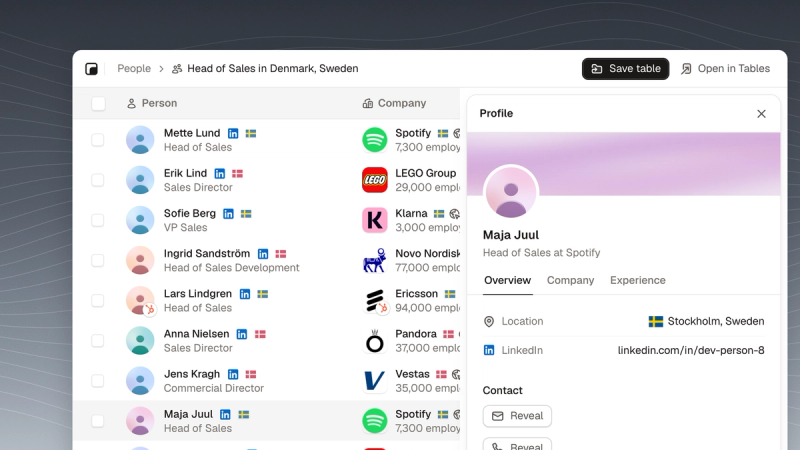
Click a person to open the same profile as in Tables, with their contact details one click away. Companies open the same way, with their people.
Every tool Claude can call
Claude can now do nearly everything you can in Tables. It can look up people by name or LinkedIn URL, find the right people at a company, leave your customers out of a search, run AI columns, import a CSV, export to CSV or Excel, and send people to your CRM.
The docs list every tool Claude can call, what each one does and what it costs in credits: see all the tools.
Try it
Already connected? Start a new chat in Claude and ask for the people you want to call. New to it? Connect Tables to Claude in about a minute and sign in to your workspace.