Tables vs FullEnrich
The cleaner alternative to FullEnrich.
FullEnrich and Tables both ask multiple data providers for every mobile. Tables does the rest of the rep's job: build the call list from a description, score every lead against your ICP with sources, and reveal mobiles from LinkedIn. Start free with 100 credits, twice FullEnrich's 50.
Updated



Side by side
Tables and FullEnrich, compared.
| Comparison | | |
|---|---|---|
Mobiles found | 89.4% | 80%+ claimed |
Markets | Global, focused on  Europe | Global |
Find leads by describing them | Tables: Yes (Find leads by describing them) | FullEnrich: No (Find leads by describing them) |
AI research on every lead | Tables: Yes (AI research on every lead) | FullEnrich: No (AI research on every lead) |
ICP scoring on every lead | Tables: Yes (ICP scoring on every lead) | FullEnrich: No (ICP scoring on every lead) |
LinkedIn Chrome extension | Tables: Yes (LinkedIn Chrome extension) | FullEnrich: No (LinkedIn Chrome extension) |
Carrier check on every number | Tables: No (Carrier check on every number) | FullEnrich: Yes (Carrier check on every number) |
Free credits | 100 | 50 |
MCP for AI assistants |  Claude,  ChatGPT,  Grok | Yes |
CRM sync |  HubSpot,  Pipedrive,  Attio,  Zoho,  Close,  SuperOffice | HubSpot, plus  Zapier,  Make,  n8n and  Clay |
Reason 1
Describe who you want to call
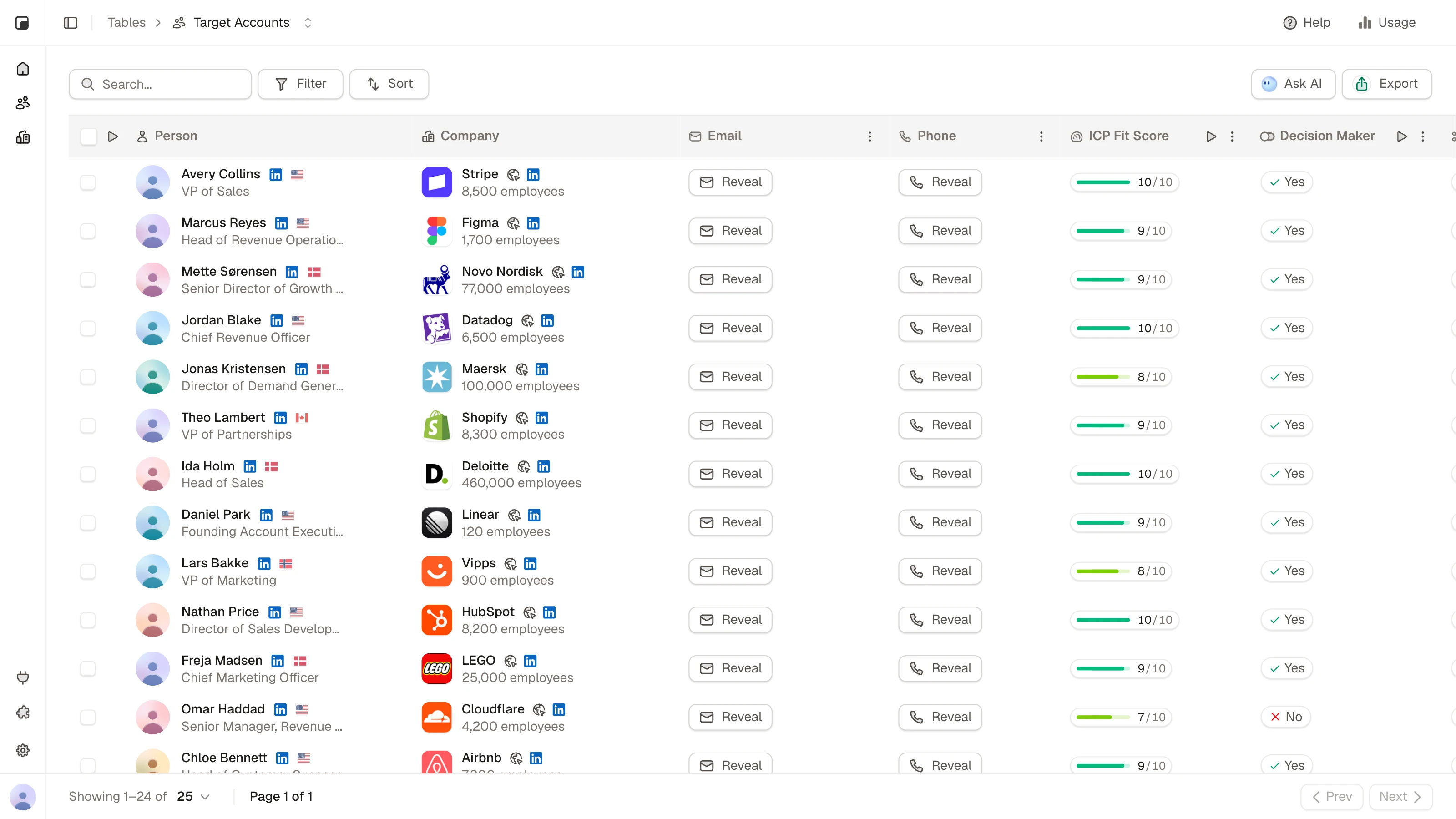
Write it the way you'd say it: "heads of sales at Danish logistics companies with 50 to 200 employees". Tables finds the people who match, with their title, company and mobile.
FullEnrich's search works with filters, and the product is built mainly for enriching lists and feeding AI agents through its API and MCP. Tables is built for the rep who has to pick up the phone.
Reason 2
Call only the leads that fit
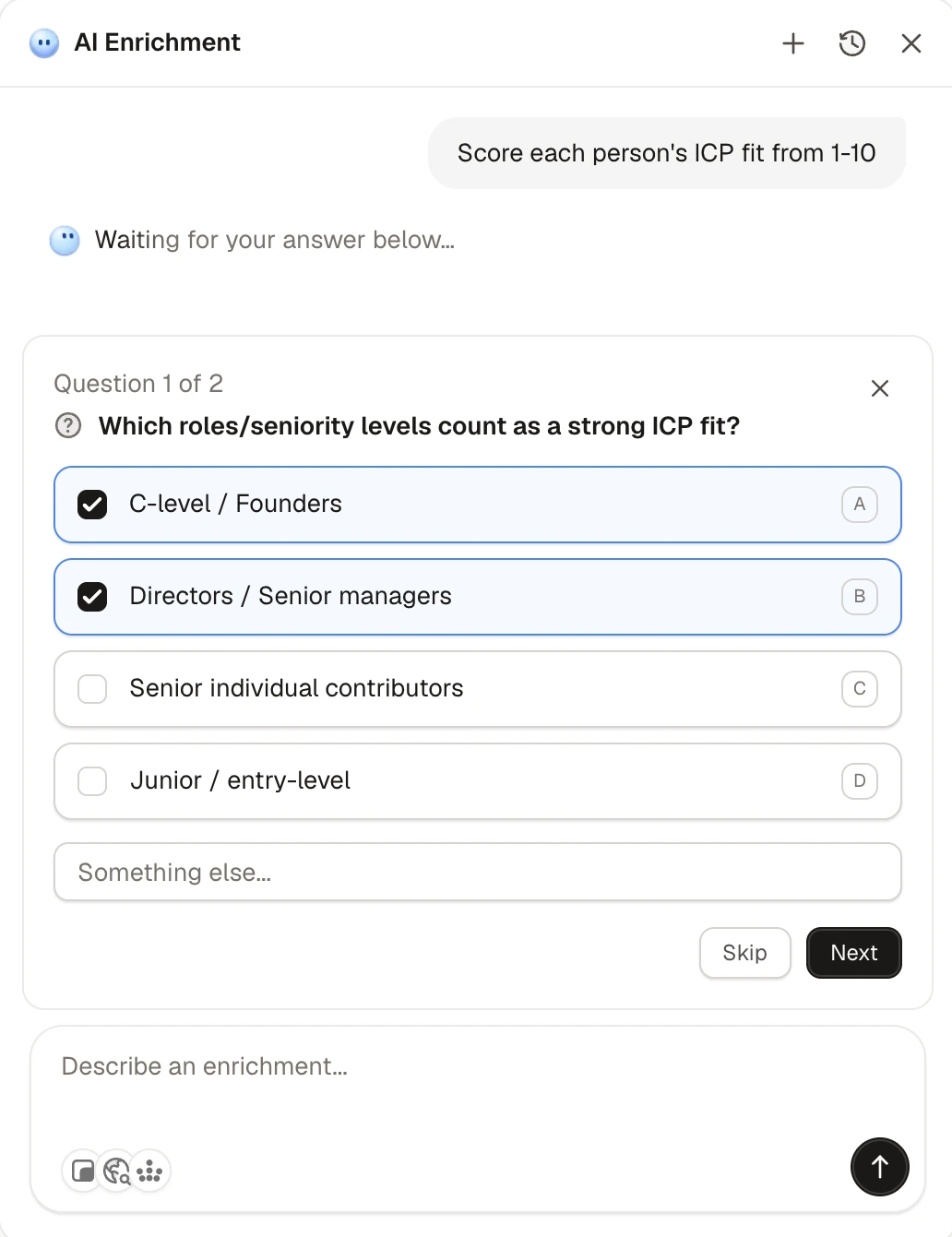
Score every lead against your ideal customer, and ask your own questions about each one, like "are they hiring sales reps?" or "do they use HubSpot?". Every answer comes with its source, so your reps know why a lead is worth the call before they dial.

Reason 3
Built for the rep on the phone
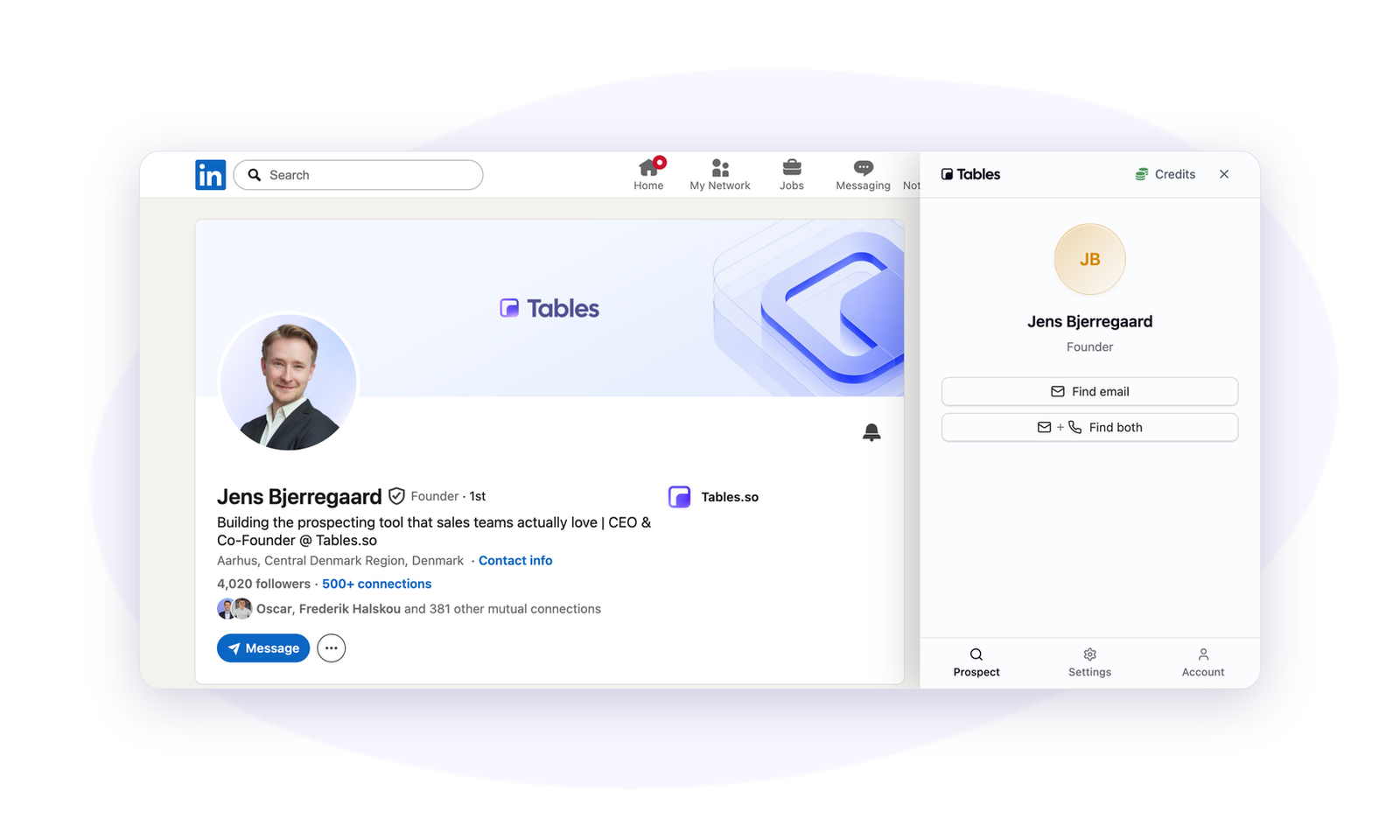
Reveal mobiles from LinkedIn with the Chrome extension, then send the list to HubSpot, Pipedrive, Attio, Zoho or Close. FullEnrich has no Chrome extension and connects natively only to HubSpot.
Reason 4
9 in 10 people come back with a mobile
No single database has everyone's mobile number. Tables asks one data provider, and when it comes up empty, it asks the next. In a random sample of 5,000 customer lookups, that found a mobile for 89.4% of people, and 91% outside Denmark.
85% of the mobiles Tables finds are verified by the data provider before you get them.
FullEnrich claims 80%+ across all regions, but publishes no figures for the Nordics.

Reason 5
Your reps can start today
Sign up, get 100 free credits, and build your first call list in minutes. No sales call to get started, nothing to set up, and simple enough for any rep. Lists go straight to HubSpot, Pipedrive, Attio, Zoho or Close.
You also get twice the free credits: 100, against FullEnrich's 50.

Reason 6
When FullEnrich is the better fit
FullEnrich is a strong choice for RevOps and GTM engineering teams that already have their lists and want an API or MCP waterfall. It queries more than 20 providers and lets you pick which ones. It checks every phone number with the carrier and matches the line owner to the lead's name, which Tables doesn't do. It also offers SOC 2 Type II, unlimited users and credits that roll over.

A complete solution for finding your ideal customers.
Search, enrichment, and AI research are built into one platform so every prospect arrives verified, researched, and ready for outreach.
Meet your next customers
AI researches every prospect, scores how well they match your ideal customer, and helps you focus on the right leads.



Amélie Moreau
Founder, Lyon Data Studio

Freja Lindqvist
VP Sales, Nordisk Byggteknik

Marcus Weber
Head of Growth, Berlin Cloud
Start with the right leads
Access 600M+ profiles and find the people and companies you're looking for.

Never feel unprepared again
AI helps you get to know every prospect before you reach out, so you can qualify leads, understand their business, and have better conversations.
Smarter outbound runs on Tables.








FAQ