


Two improvements to the AI agents in Tables. Search now opens on the Search Agent, which can also find a specific person or company for you, and research agents can be saved as templates and reused on any list.
Search starts with the Search Agent
People and company search now open on the Search Agent, so you can start by asking instead of filling in filters. It can also find one specific person or company by name. It checks in the background and, when there’s a single match, offers to apply that search for you.

Build your own research agent
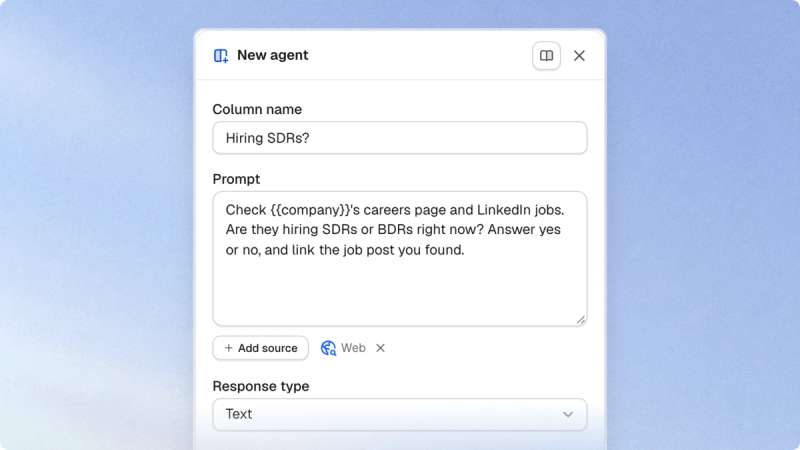
Every list now has Build Agent. Write what you want to know about each row in plain words, pick the sources it should use, such as the web, and choose the kind of answer you want back. You can save an agent without running it, then try it on the next row or the next ten rows before you run it across the whole list.
Save agents as templates
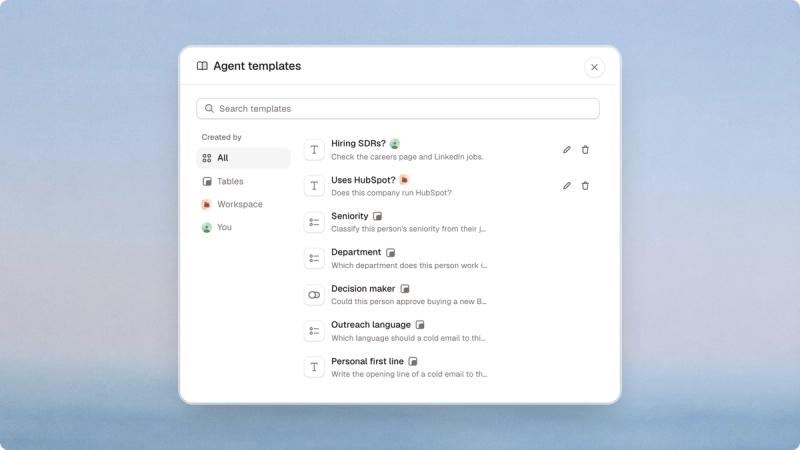
When an agent works the way you want, save it as a template, either just for you or for your whole workspace. Templates are one click away from the column menu, Build Agent and the agent pane. Tables also ships its own templates for people and company lists, from seniority and department to a personal first line.
Try it
Both are live in every workspace. Open People search to meet the Search Agent, or open any list and add an agent column.